Inventory for retail ยท built for India

Know what's on the shelf. Never run out.

StockPulse tracks every item across your shop floor and back store, tells you what to reorder, and shows which products actually make you money.

Barcode scanningMulti-location stockOne-click purchase orders
stockpulse.app / dashboard
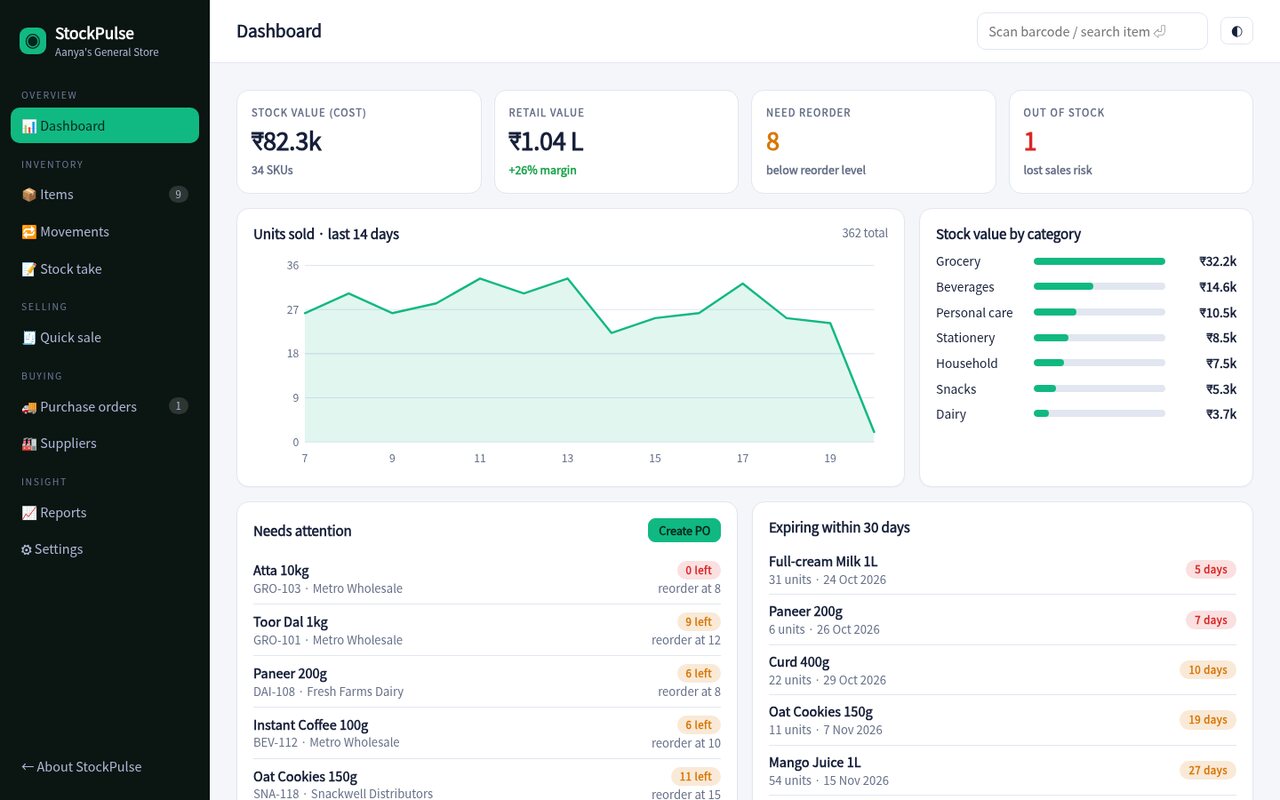
StockPulse dashboard showing stock value, units sold and low-stock alerts
Everything a shop needs

From the shelf to the supplier

Replace the notebook, the spreadsheet and the guesswork with one simple app that works on a counter PC or a phone.

๐Ÿ“ฆ

Live stock levels

See quantities by location, quick +/โˆ’ adjustments and automatic status for low and out-of-stock items.

๐Ÿ”

Scan or search

Find any item by barcode, SKU or name from anywhere in the app. Works with a USB barcode scanner.

๐Ÿงพ

Quick sale screen

Ring up a customer in seconds. Stock is deducted from the shop floor first, then the back store.

๐Ÿšš

Purchase orders

Pre-filled orders for each supplier based on what's running low. Receive stock with one click.

๐Ÿ“

Stock takes

Count a location, see the differences and apply corrections. Every change is logged in the ledger.

๐Ÿ“ˆ

Reports that matter

ABC analysis, margin by product, dead stock and valuation by category, exportable to CSV.
Inventory

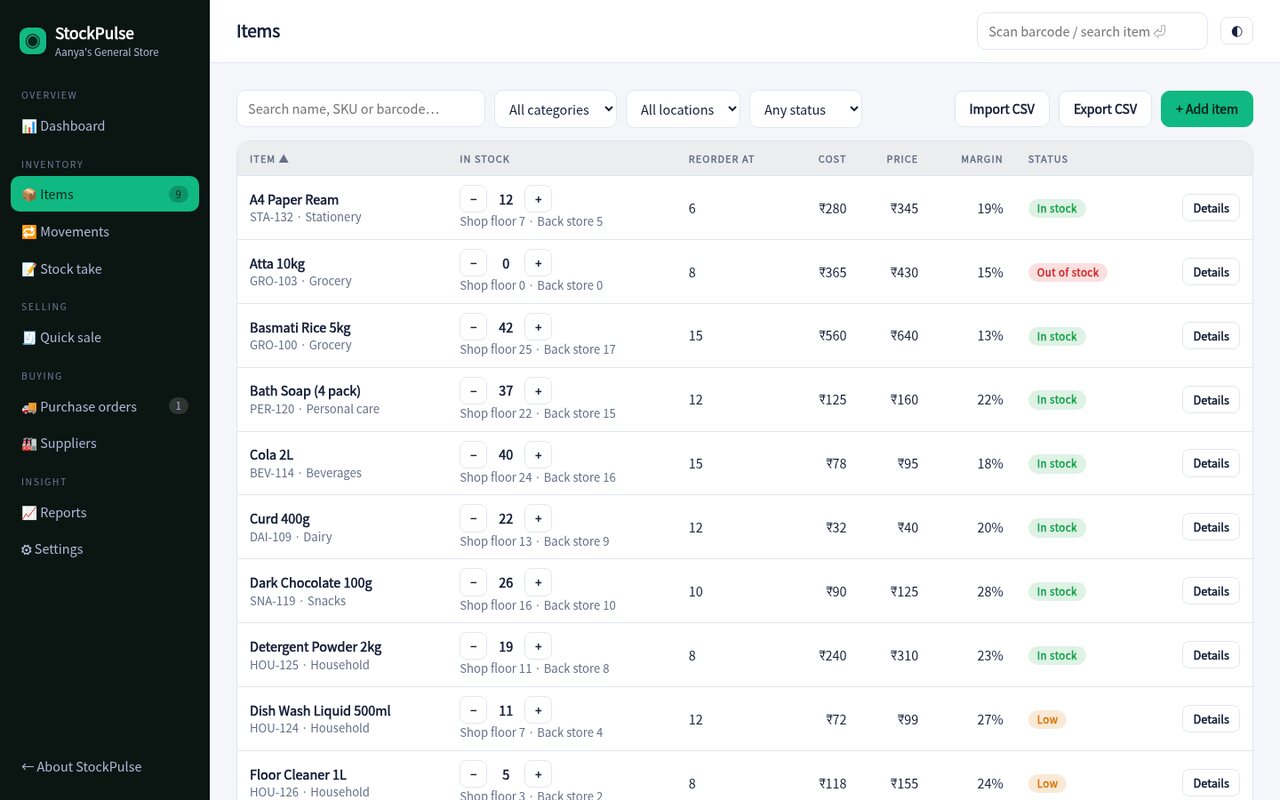
Your whole stock list on one screen

Search, filter and sort your whole catalogue. Adjust stock with a tap, transfer between the shop and the back store, and import or export CSV when you need to.

  • Margin and status on every row
  • Expiry tracking for dairy and packaged food
  • Import hundreds of items from a spreadsheet
Open Items
Items table with stock levels and margins
Selling

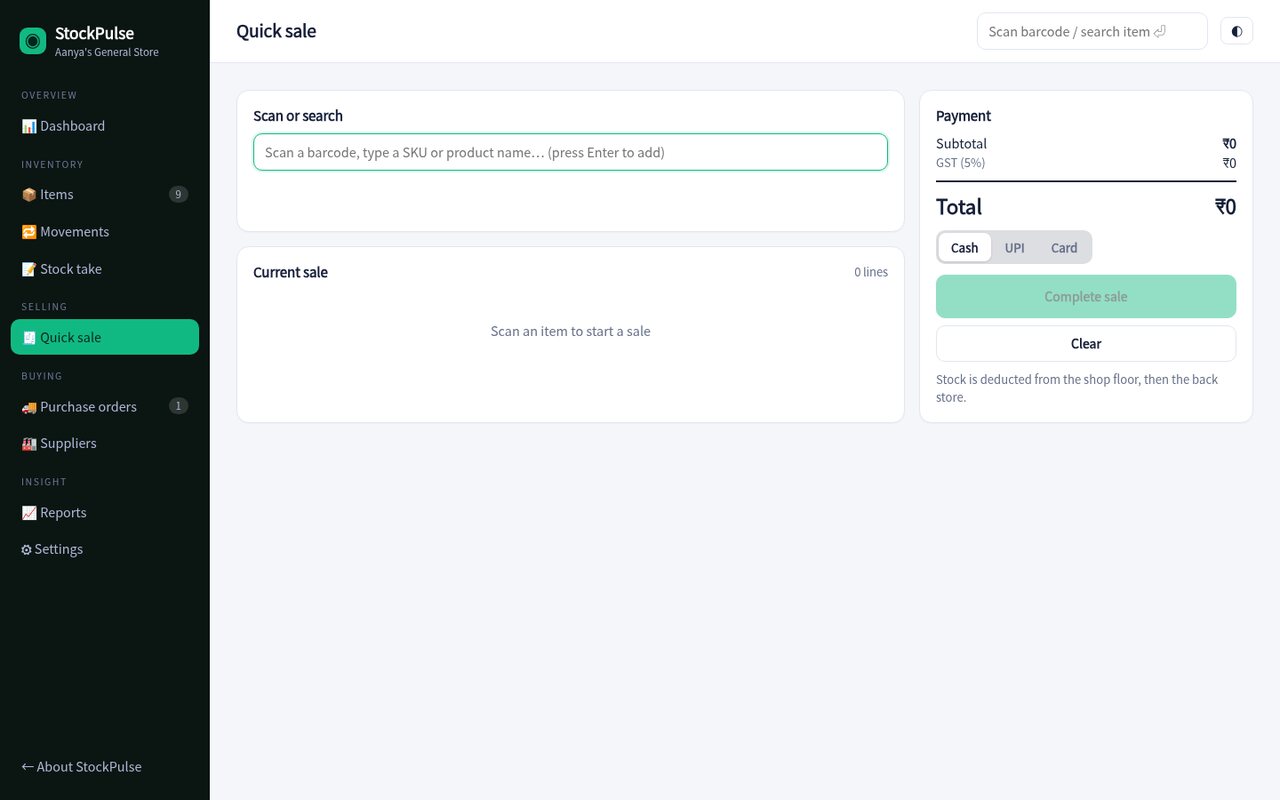
A counter screen that keeps up

Scan, tap Enter, take payment. No accounts to set up, no training needed, and your stock is always accurate afterwards.

  • Cash, UPI and card tracking
  • 5% GST calculated automatically
  • Prevents selling more than you have
Try Quick sale
Quick sale screen
Insight

Find the cash hiding on your shelves

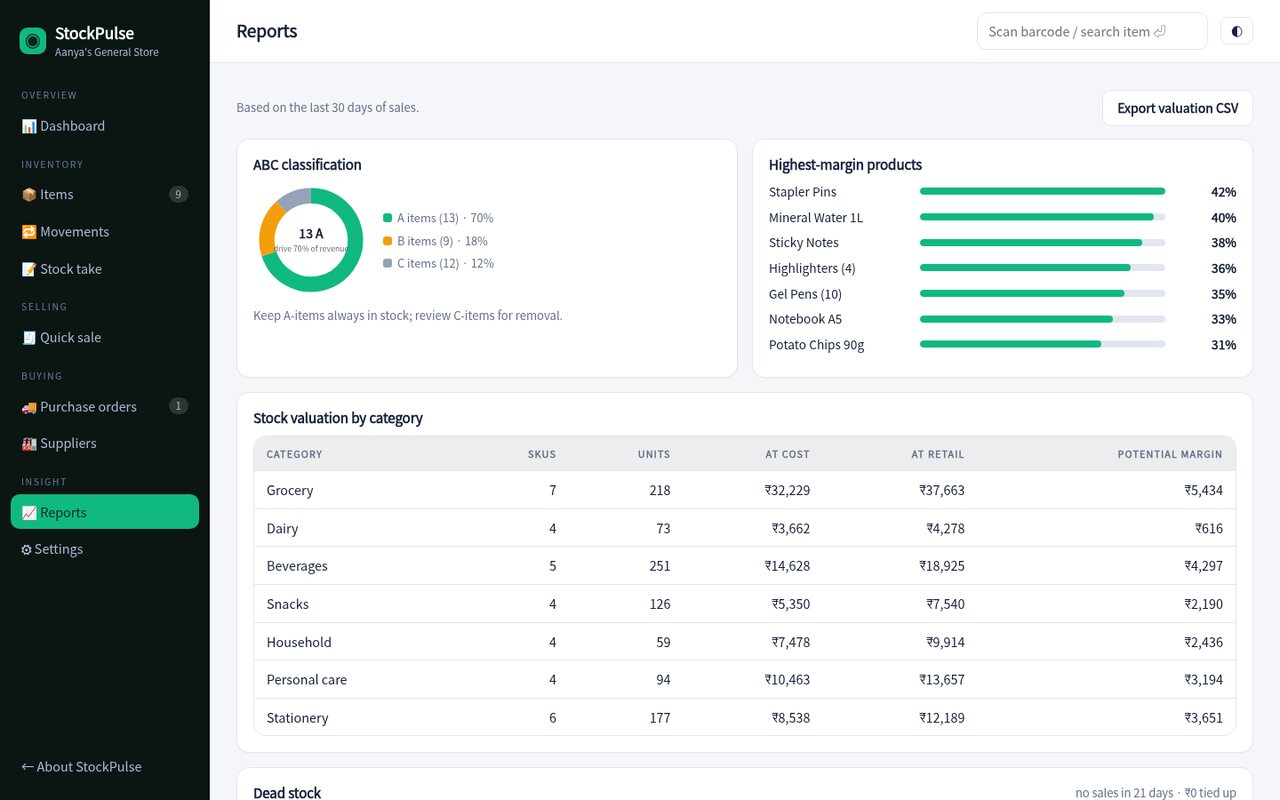
Dead-stock and ABC reports show what's tying up money and what drives your revenue, so every reorder is a decision, not a hunch.

  • Dead stock with cash value
  • Highest-margin products
  • One-click CSV export for your accountant
View reports
Reports: ABC classification and margins
Up and running in an afternoon

How it works

Import your catalogue

Paste or upload a CSV, or add items one by one. Barcodes, costs and reorder levels are all optional to start.

Count and set levels

Run a first stock take for each location and set the reorder level for your fast movers.

Sell and replenish

Ring up sales, watch the dashboard and send purchase orders when StockPulse flags low stock.

2 minto ring up a first sale
0spreadsheets to maintain
100%of movements logged
CSVin and out, always
Pricing

Simple plans that grow with you

Sample pricing for this concept build.

Starter

โ‚น0 / month
  • Up to 100 items
  • 1 location
  • Quick sale & reports
  • CSV import / export
Start free
Most popular

Shop

โ‚น499 / month
  • Unlimited items
  • 2 locations
  • Purchase orders & suppliers
  • Barcode scanning
  • Email support
Try the demo

Chain

โ‚น1,499 / month
  • Everything in Shop
  • Up to 10 locations
  • Roles & permissions
  • Priority onboarding
Talk to us

Questions

Does it work with a barcode scanner?

Yes. Any USB or Bluetooth scanner that types into a field works, focus the search box, scan, and the item opens (or is added to the sale).

Can I use it on my phone?

The whole app is responsive, so it works on a phone or tablet at the counter or in the back store.

Where is my data stored?

In this demo, everything stays in your browser. A production version would sync to a secure cloud database with backups.

Can I import my existing items?

Yes, paste a CSV or upload a file from the Items page. Existing SKUs are updated and new ones are added.

See it with your own hands.

The demo is fully working with sample data from a general store, click anything.

Open the live demo