For housing societies and RWAs

Collect maintenance, control the gate, keep residents informed.

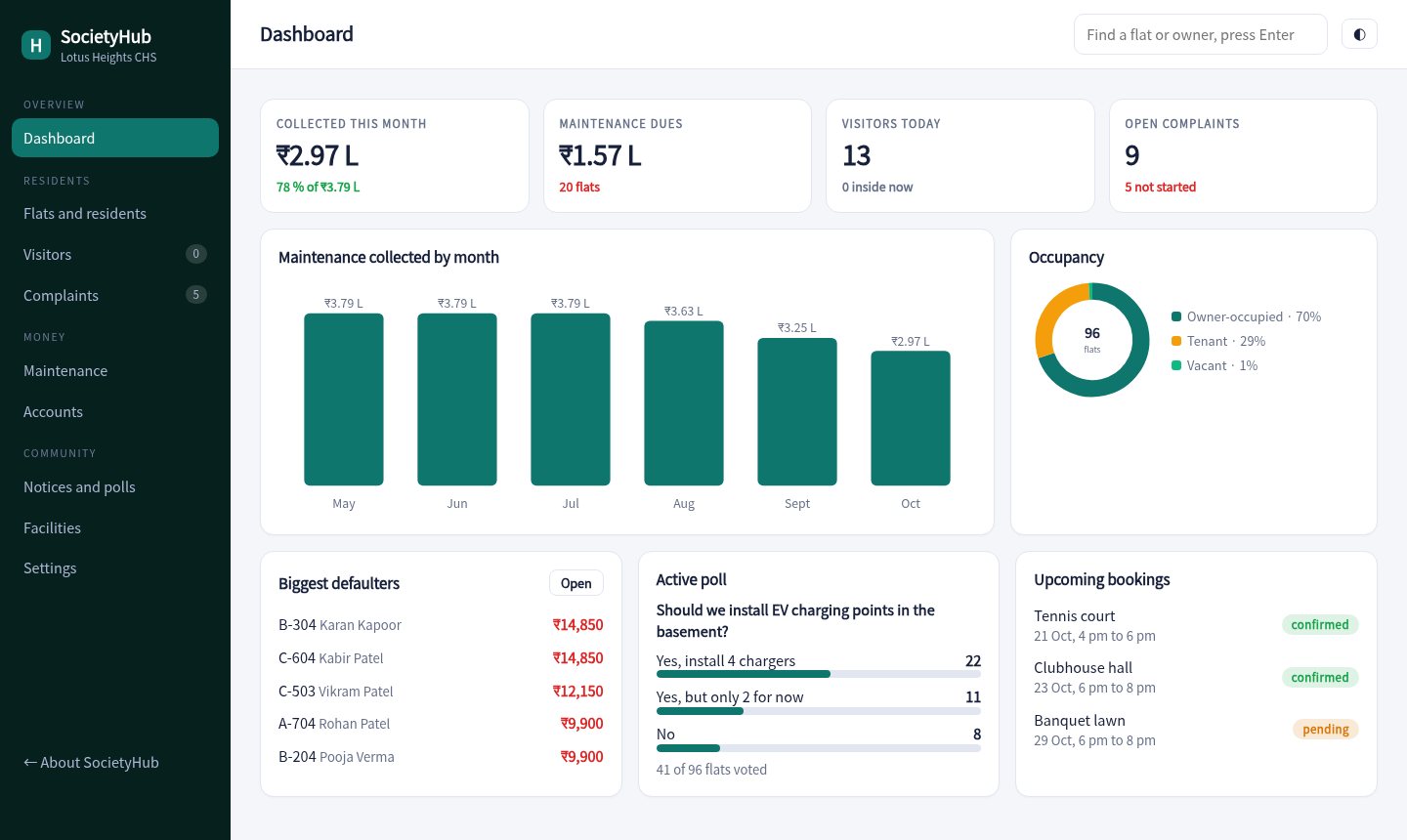
Bills and receipts for every flat, a gate screen for guards that asks residents to approve visitors, a place for complaints and polls, and simple accounts the committee can show at the AGM.

96 flats in the demoGate screen for guardsResident app included
societyhub.app / dashboard
SocietyHub dashboard
Made forApartment societiesGated communitiesRWAs and coloniesBuilder-managed towersCommercial complexesCo-working buildings
Run the society from one place

The treasurer, the guard and the residents on the same page

.

Maintenance billing

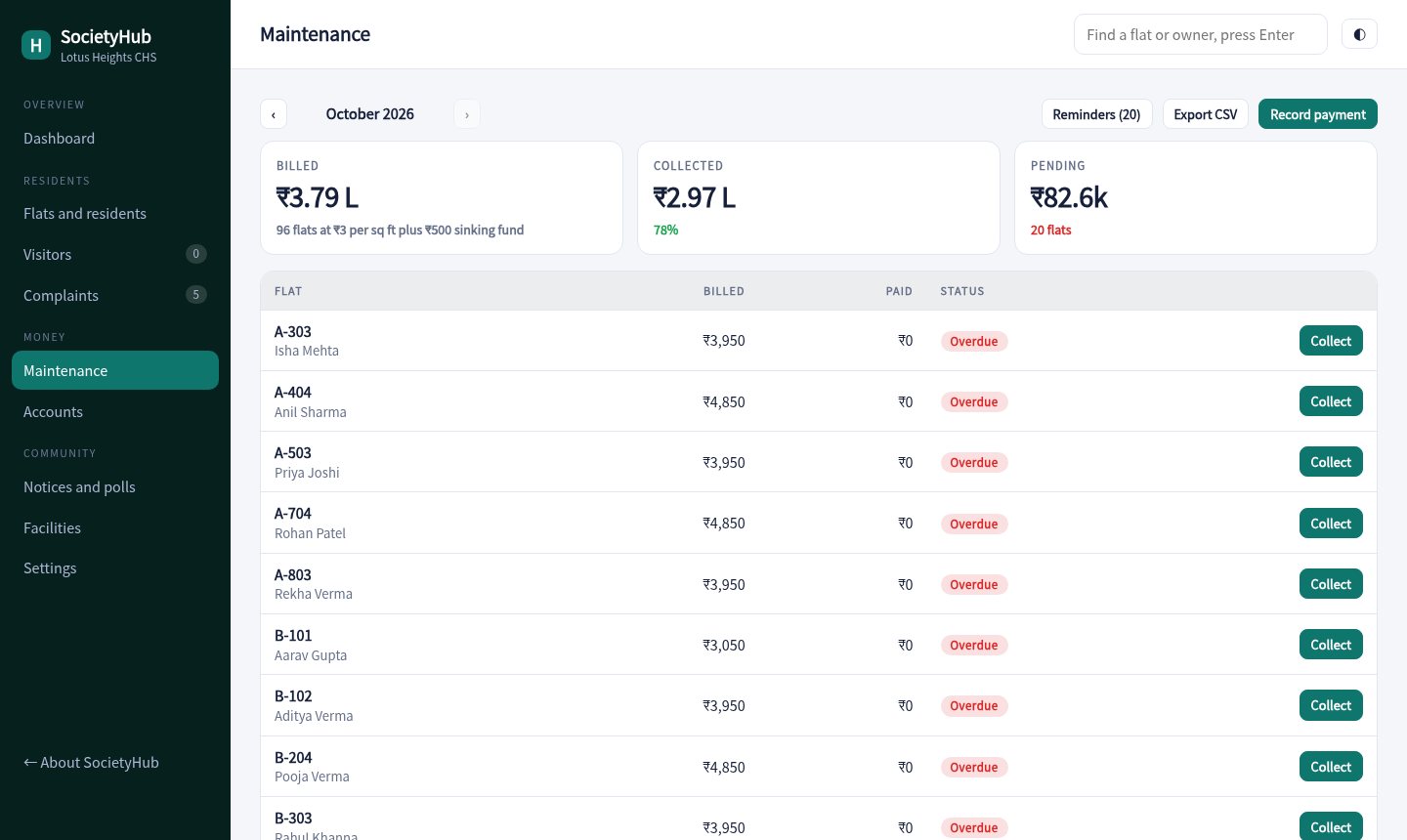
Each flat is billed by area plus a sinking fund. See who has paid, record payments, print receipts and send reminders with a UPI link.

.

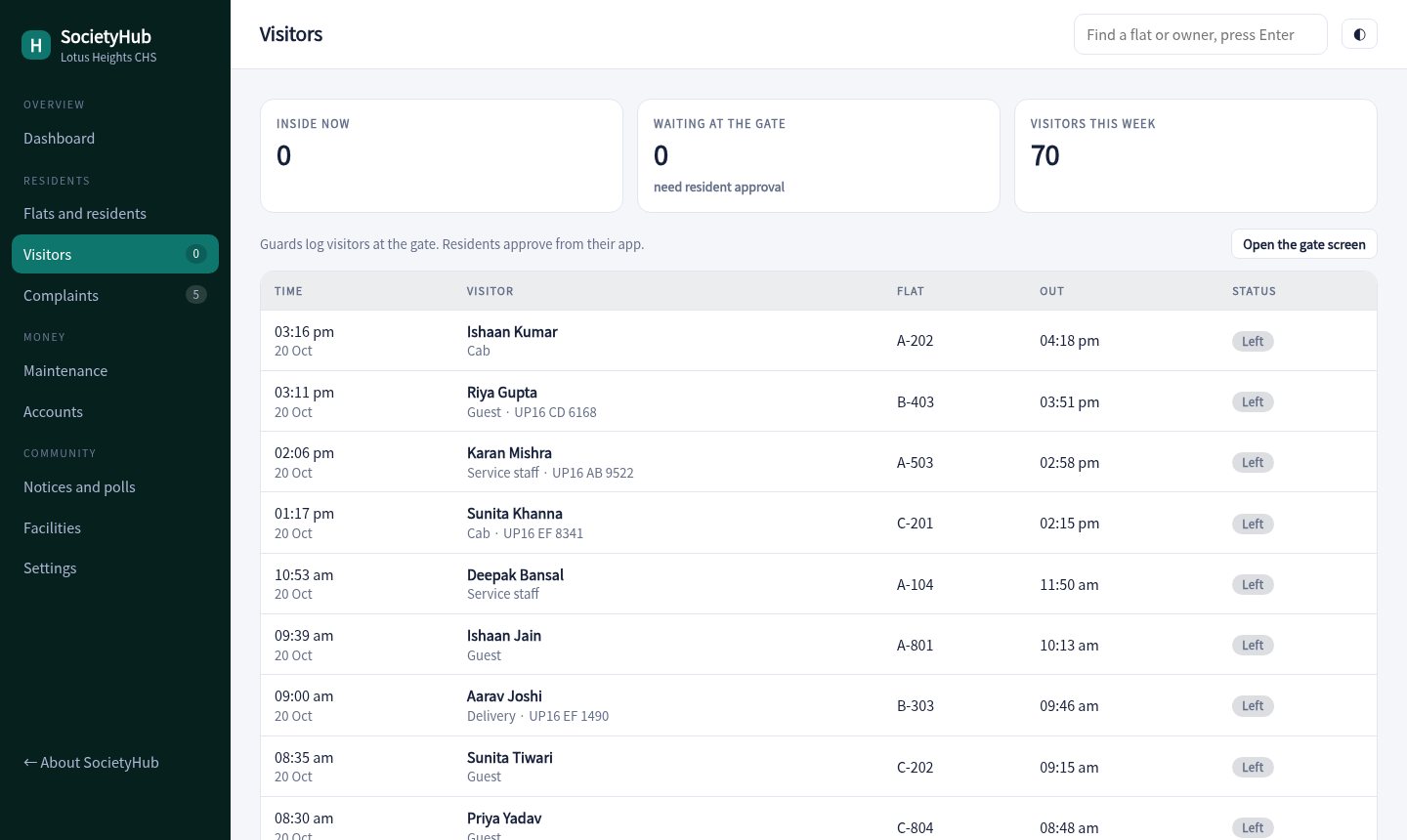
Visitor approvals

The guard logs a visitor, the resident gets a request and taps Allow or Deny. Pre-approved guests walk in with a four digit code.

.

Complaints with status

Residents raise issues from the app. The committee moves them from open to in progress to resolved, and sees which are past the SLA.

.

Notices and polls

Post a notice or run a poll such as EV chargers. One vote per flat, with results updating as flats vote.

.

Facility booking

Clubhouse, banquet lawn, tennis court, pool and gym by slot. Double bookings are blocked and paid facilities wait for approval.

.

Accounts for the AGM

Income against expenses by head and by month, with a six month surplus and CSV export for your auditor.
Maintenance

See who has paid, every month

Billed, collected and pending at the top. Flats with dues come first, each with a collect button and a reminder.

  • Part payments and fines
  • Receipts to print
  • Reminders for overdue flats
Open maintenance
Maintenance billing
Visitors

A gate that talks to residents

Guards log visitors on a simple screen. Residents approve in the app, and the gate sees the answer straight away.

  • Pre-approved guest codes
  • Inside now and exit times
  • Visitor log for the committee
Open the visitor log
Visitor log
Resident app

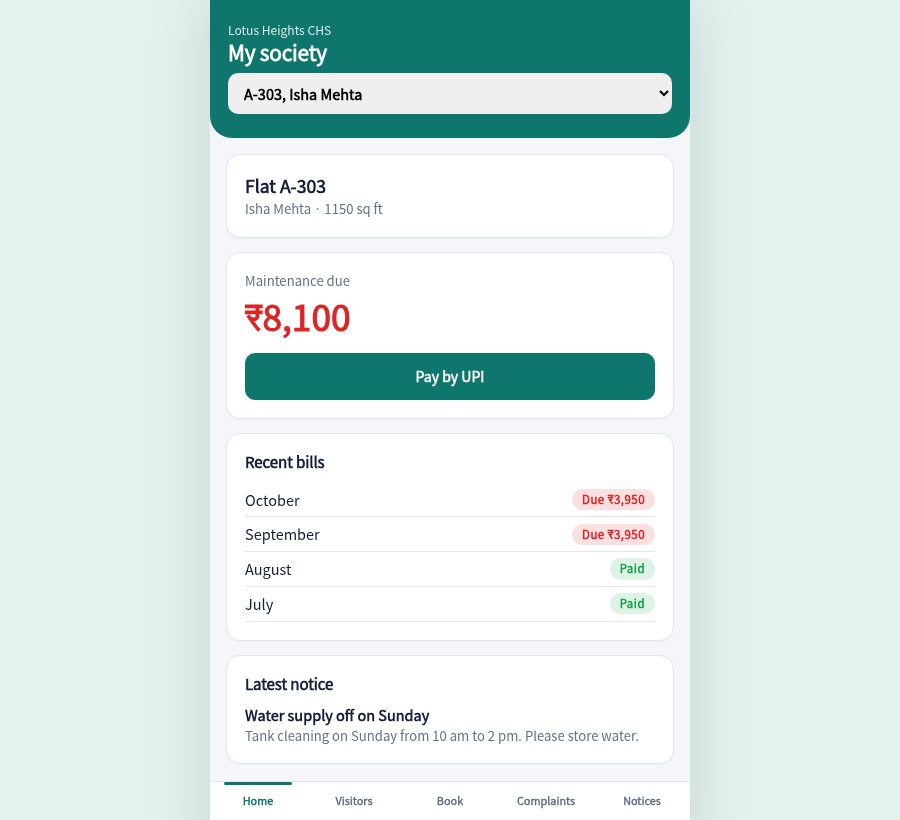
Pay, approve, book and vote

Residents see dues, approve visitors, book facilities, raise complaints and vote in polls from their phone.

  • Pay by UPI
  • Visitor allow or deny
  • Facility slots
Open the resident app
Resident app
Ready before the next billing cycle

How it works

Load the flats

Add towers and flats with owner, area and parking. Set the maintenance rate and sinking fund.

Bill and collect

Generate the month's dues, collect payments and print receipts.

Open the gate and app

Give guards the gate screen and share the resident app link.

96flats in the demo
3towers
5facilities to book
1 voteper flat in polls
Pricing

Priced by number of flats

Sample pricing for this concept build.

Small society

₹1,499 / month
  • Up to 60 flats
  • Billing, receipts, accounts
  • Complaints and notices
Try the demo
Most popular

Society

₹3,499 / month
  • Up to 250 flats
  • Gate screen and visitor approvals
  • Polls and facility booking
Try the demo

Township

₹7,999 / month
  • Unlimited flats
  • Multiple gates
  • Priority support
Ask about this

Questions

Do guards need anything special?

No. The gate screen runs on any phone or tablet browser. It shows who is waiting for approval and who has been allowed.

How do residents sign in?

In production each resident signs in with the mobile number registered for the flat. The demo lets you pick a flat.

Can we change the maintenance formula?

The demo uses area times a rate plus a sinking fund. A production build can add per-flat adjustments and one-time charges.

Is the data real?

No. Flats, residents and payments are generated for a made-up society.

Approve a visitor from both sides.

Open the gate screen in one tab and the resident app in another. Log a visitor and approve it.

Open the console