Payroll and attendance for 10 to 100 people

Salary day without the spreadsheet.

Mark attendance, approve leave and run payroll in minutes. PF, ESI and professional tax are worked out, payslips are ready to print and the bank file is one click.

PF, ESI, PT includedPayslips in a clickBank file export
paydesk.app / payroll
PayDesk payroll run
Made forFactories and workshopsTrading firmsClinics and diagnostic labsShowroomsSchools and coaching centresAgencies and offices
Everything before the 1st

The month-end work, done once

.

Attendance grid

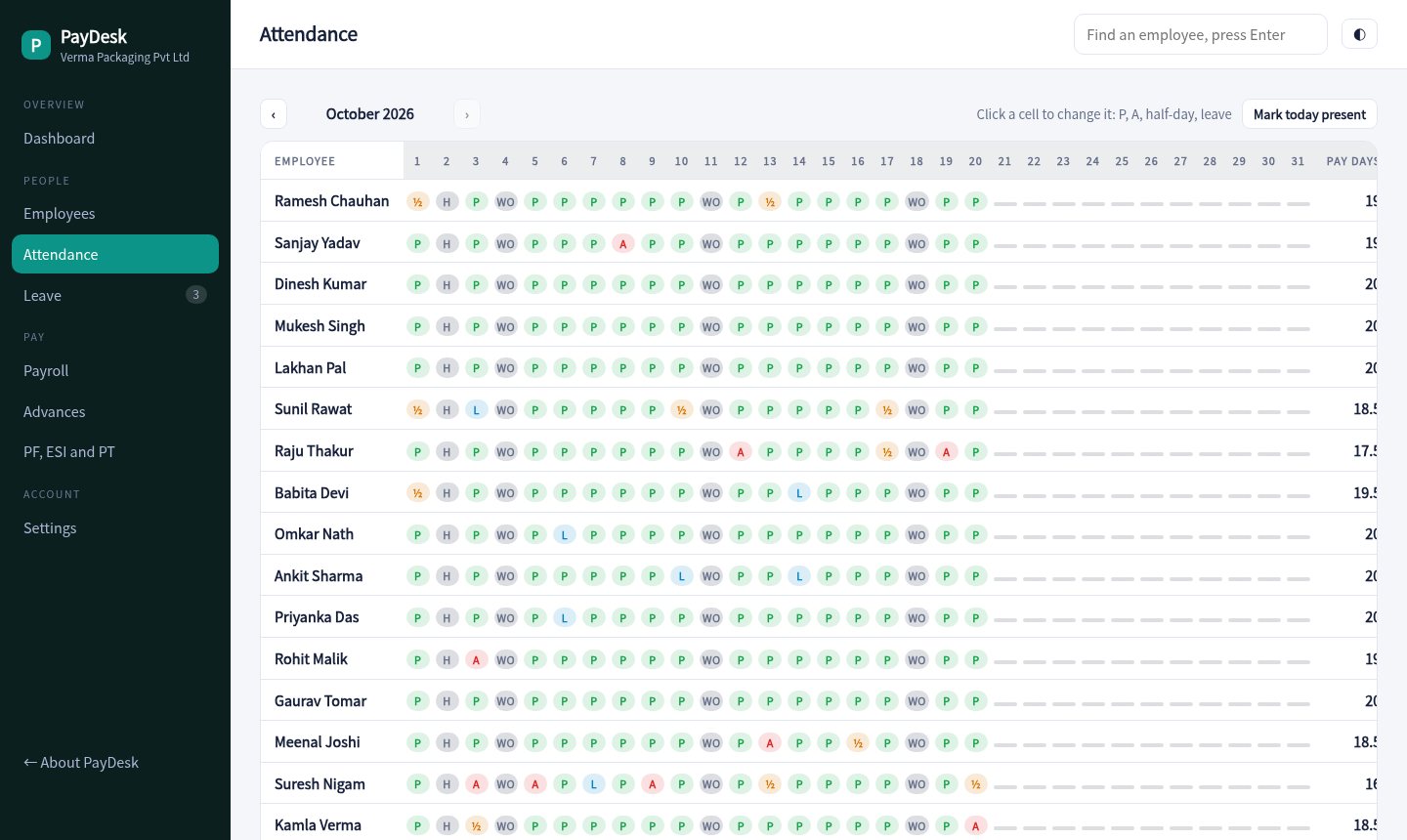
A full month for every employee. Click a cell to mark present, absent, half day or leave. Sundays and holidays fill themselves.

.

Leave with balances

Casual, sick and earned leave with yearly balances. Approving a request marks the attendance for you.

.

Payroll that adds up

Pay days, loss of pay, overtime, bonus, advances and statutory deductions are calculated per person. Adjust any line before you finalise.

.

PF, ESI and PT

Contribution amounts for employee and employer, the PF wage ceiling, the ESI limit and professional tax, with an ECR style export.

.

Payslips and bank file

A clean printable payslip for each person and a transfer file in the layout your bank expects.

.

An app for employees

Staff punch in, see their payslips, check leave and apply from a phone. Managers see requests in the console.
Payroll

Run payroll in three steps

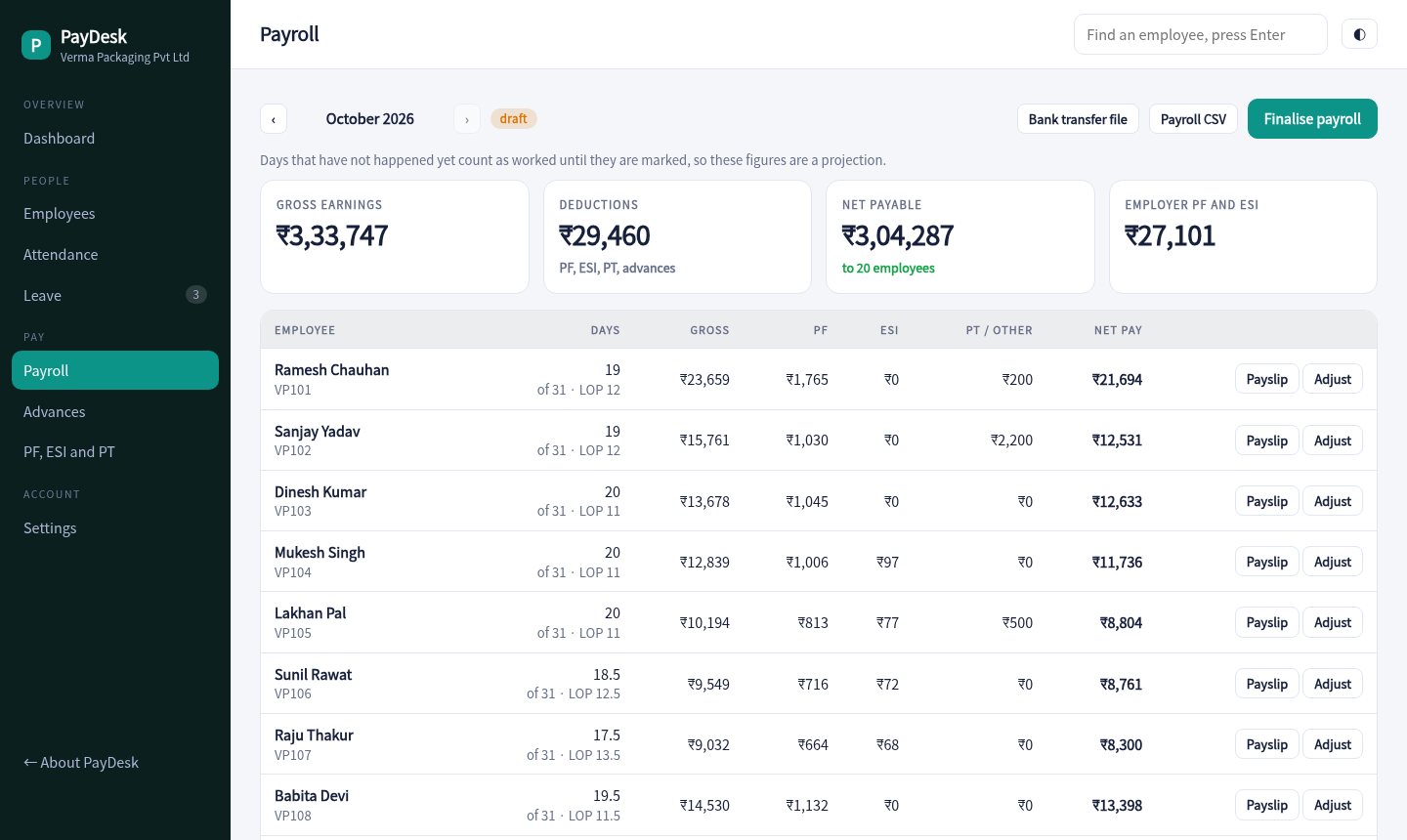
Review the numbers, adjust overtime or deductions, finalise, then mark paid. Advance recoveries come off by themselves.

  • Draft, final and paid states
  • Overtime, bonus and one-off deductions
  • Bank transfer CSV and payroll CSV
Open payroll
Payroll run
Attendance

See who was in, every day

One row per person and one column per day, with pay days totalled at the end.

  • Mark all present for today
  • Half days and paid leave
  • Joining dates handled
Open attendance
Attendance grid
Compliance

Know the challan amounts before the 15th

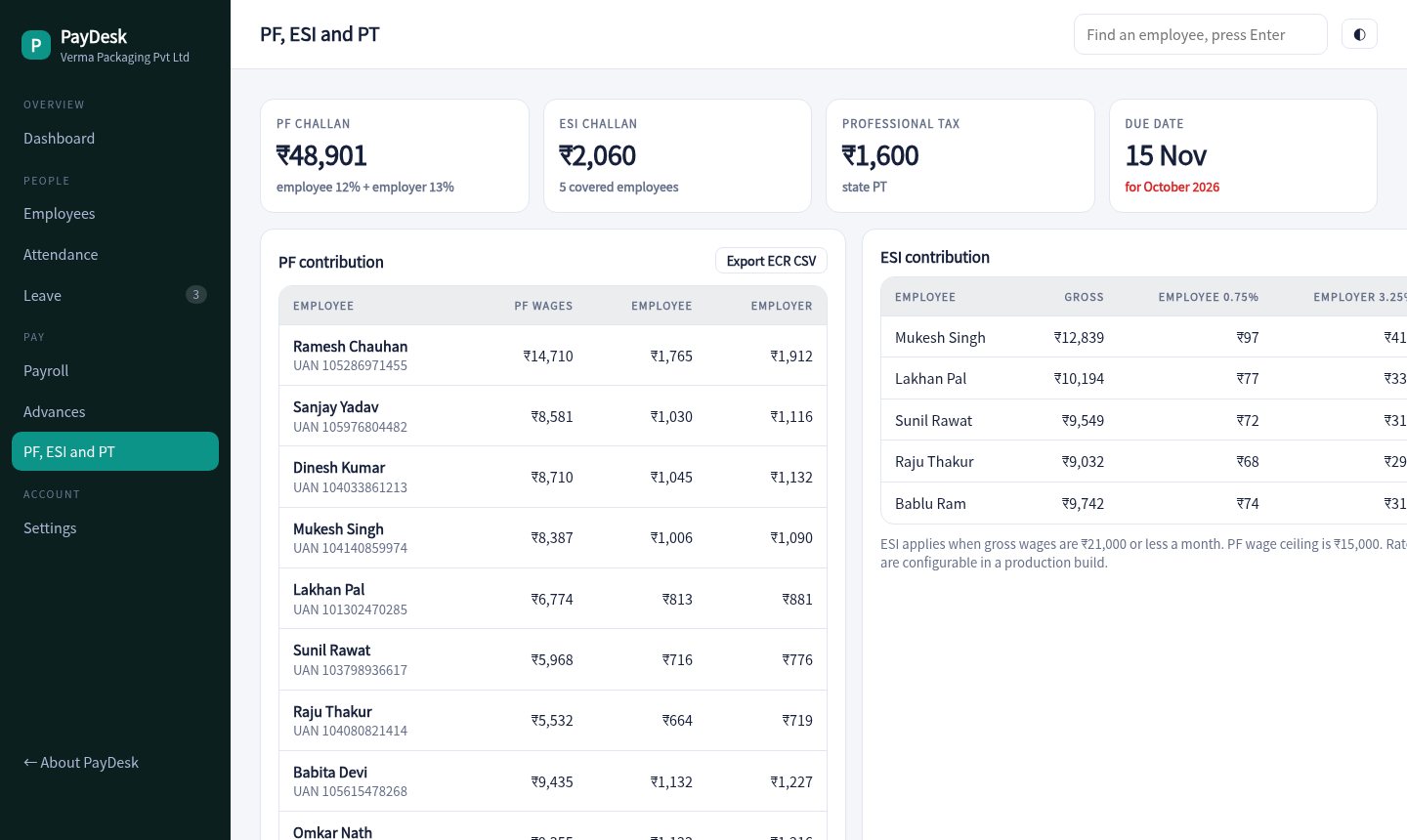
PF, ESI and professional tax totals for the month with the due date, plus a PF export you can hand to your CA.

  • Employee and employer shares
  • PF wages capped at the ceiling
  • ESI only for eligible employees
Open compliance
Compliance summary
Ready for next month's payroll

How it works

Add your people

Enter basic, HRA and allowances, plus UAN and bank details. Mark who is under PF and ESI.

Track the month

Attendance and leave build up through the month from the console or the employee app.

Run and pay

Finalise payroll, download the bank file, share payslips and pay the challans.

20employees in the demo
3statutory deductions handled
1 clickpayslip and bank file
13%employer PF worked out
Pricing

Simple pricing per employee

Sample pricing for this concept build.

Starter

₹0 / month
  • Up to 5 employees
  • Attendance and payslips
  • Leave tracking
Try the demo
Most popular

Business

₹49 / employee
  • PF, ESI and PT
  • Advances and bank file
  • Employee app
Try the demo

Business Plus

₹79 / employee
  • Everything in Business
  • Multiple locations
  • Accountant access
Ask about this

Questions

Does it calculate PF and ESI?

Yes. PF is worked out on basic up to the wage ceiling and ESI applies when gross is within the limit. Rates and limits can be set in a production build.

Can it handle loss of pay and half days?

Yes. Absences reduce pay days, half days count as half, and weekly offs and holidays are paid.

How do employees see payslips?

From the employee app on their phone, or by a WhatsApp message that you send from the payroll screen.

Is the data in the demo real?

No. The company, employees and attendance are generated for a made-up packaging firm.

Run a sample payroll.

Open this month's payroll, adjust a line, finalise it and print a payslip.

Open the payroll app