For mobile, laptop and appliance repair shops

Never lose a device, or a customer's trust.

Every repair gets a job card and a tracking page. Customers approve estimates from their phone, you move jobs along a board, and the invoice and warranty are ready at delivery.

Job cards in secondsEstimate approval linkWarranty tracking
fixtrack.app / repair board
FixTrack repair board
Made forMobile repair shopsLaptop service centresTV and appliance repairAC and fridge techniciansTwo-wheeler garagesWatch and camera repair
From the counter to the delivery

A job card that follows the device

.

Job card at the counter

Customer, device, serial, problem, accessories received, estimate and advance in one form. A job code is generated for the customer.

.

A board for the workshop

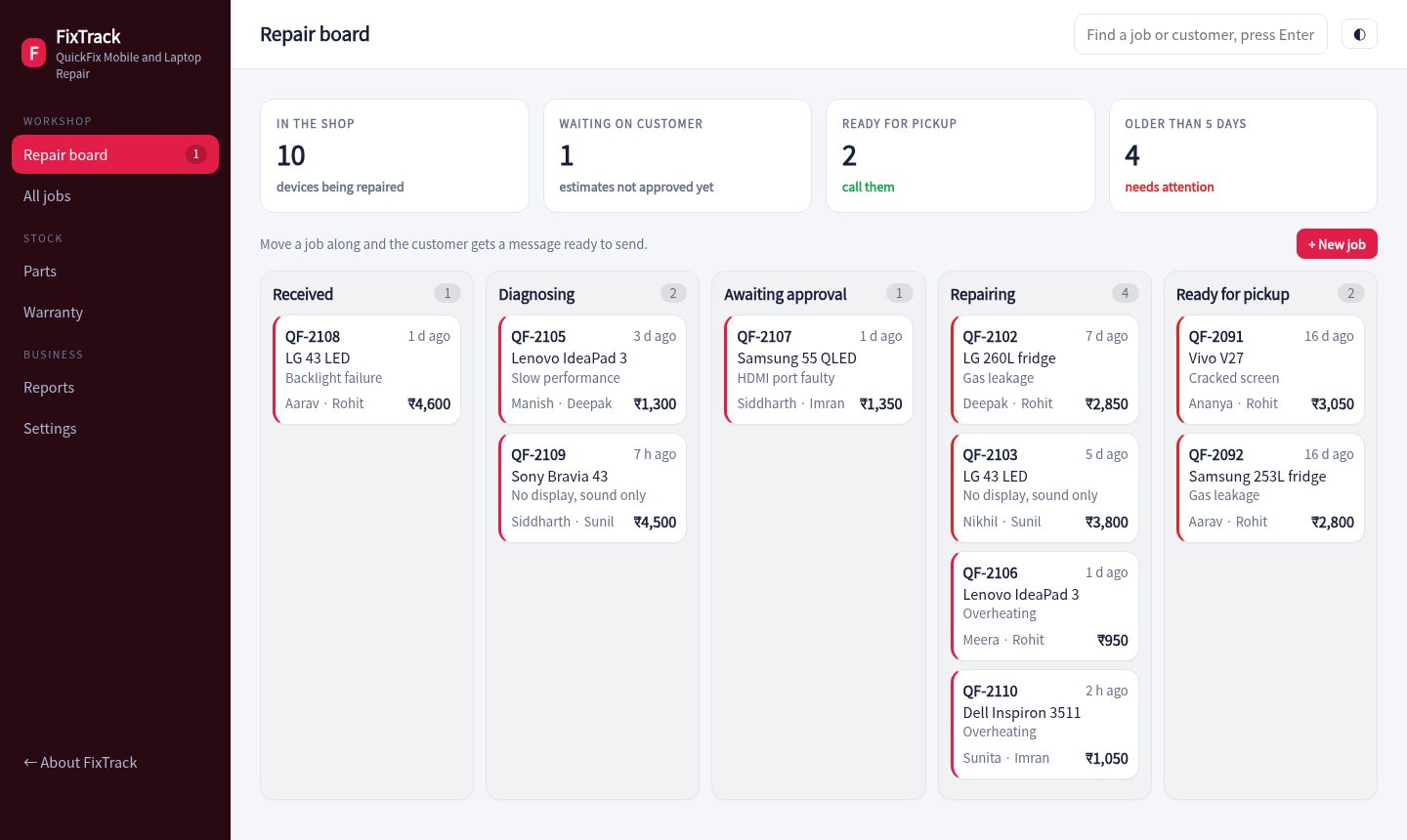
Received, diagnosing, awaiting approval, repairing and ready, with each job coloured red once it is older than five days.

.

Customers approve estimates

The tracking link shows progress and lets the customer approve the estimate. The job moves to repairing straight away.

.

Parts and stock

Add parts to a job and stock drops. Low stock and margins show on the parts screen.

.

GST invoice at delivery

Labour and parts with 18% GST, advance adjusted, payment mode recorded and the warranty period printed.

.

Warranty claims

Every delivered repair carries a warranty. If it comes back, log a claim and the job reopens on the board.
Repair board

See every device in the shop

Five columns by stage, with technician, estimate and age on every card. Moving a job offers a ready-written WhatsApp update.

  • Technician on each card
  • Red when a job is overdue
  • Message on every stage change
Open the board
Repair board
Jobs

Search the whole history

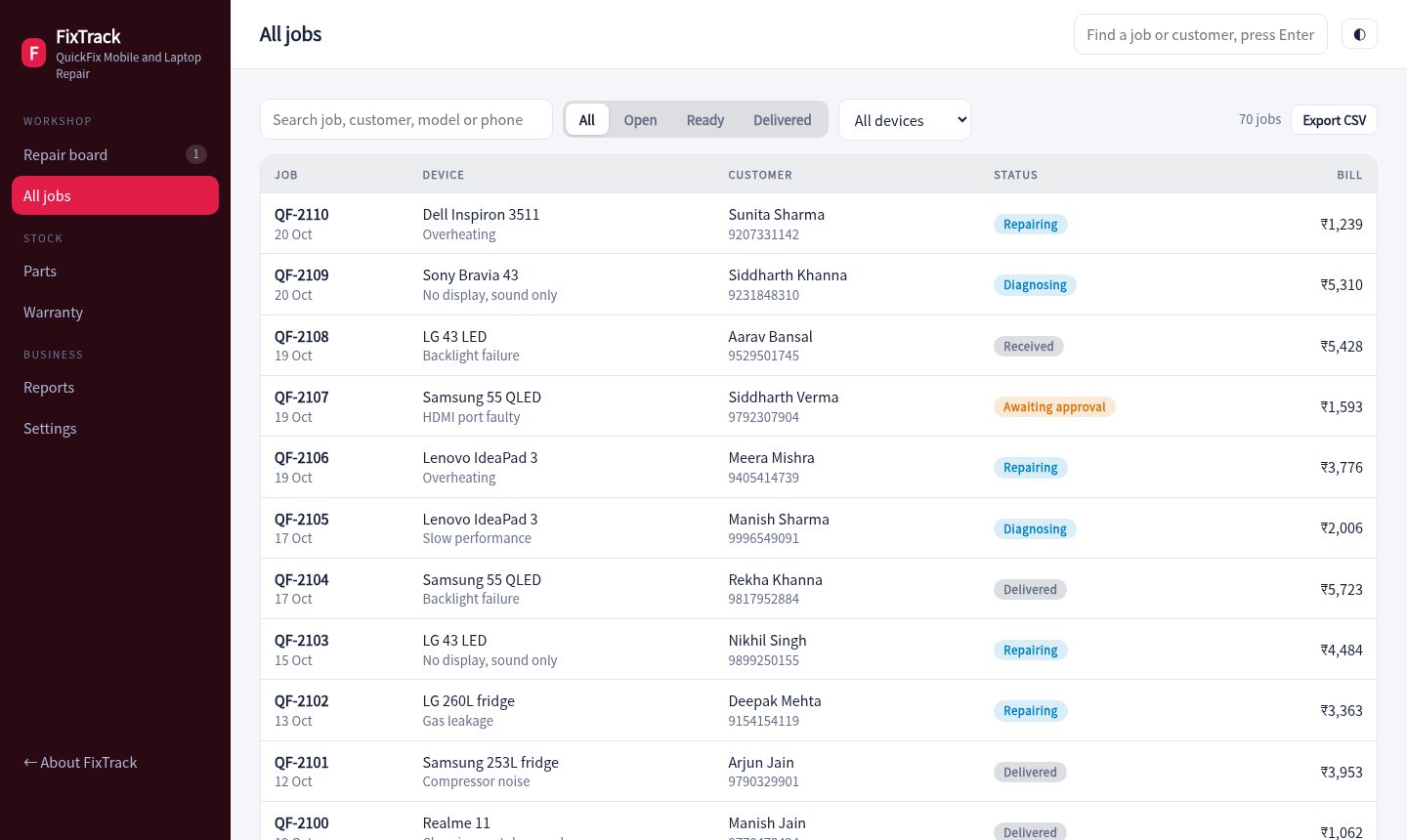
Find any repair by job code, name, phone or model. Open it to see the timeline, parts, bill and warranty.

  • Filter by status and device
  • Printable invoice
  • Export to CSV
Open jobs
Job list
Customer page

Fewer calls asking for status

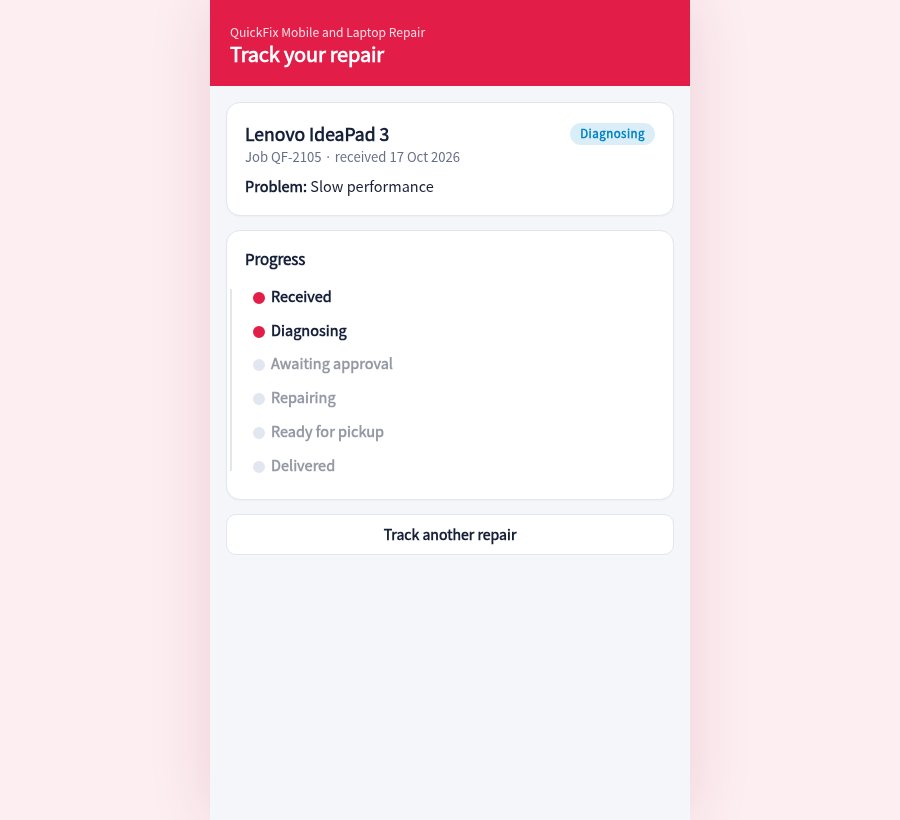
Customers open their link, see the stage and approve the estimate. When the device is ready the page tells them what to pay.

  • Approve or decline
  • Progress timeline
  • Warranty end date
Open the tracking page
Customer tracking page
Start with the next device that walks in

How it works

Create the job card

Fill the form and hand over the job code. Send the tracking link on WhatsApp.

Diagnose and quote

Add parts and labour, send the estimate and wait for approval from the customer's phone.

Repair and deliver

Move the job along, collect the balance, print the invoice and start the warranty.

70sample jobs
5workshop stages
90 daysdefault warranty
18%GST on the invoice
Pricing

For one shop

Sample pricing for this concept build.

Counter

₹399 / month
  • 1 user
  • Job cards and board
  • Tracking page
Try the demo
Most popular

Workshop

₹999 / month
  • Up to 5 users
  • Parts stock and reports
  • Warranty and WhatsApp updates
Try the demo

Service chain

₹2,499 / month
  • Multiple branches
  • Central parts stock
  • Technician targets
Ask about this

Questions

Do customers need an app?

No. They open a link on their phone to see the status and approve the estimate.

Can it handle garages and appliance repair?

Yes. Device types and issues are configurable. The demo covers mobiles, laptops, TVs, ACs and fridges.

How is warranty tracked?

When a job is delivered, a warranty period starts. The warranty screen lists repairs still covered and lets you log a claim.

Is the data real?

No. Customers, devices and jobs are generated for a made-up repair shop.

Take a device from counter to delivery.

Create a job, send it for approval from the customer page and then deliver it.

Open the repair board