For coaching institutes and tuition centres

Fill the batches. Keep the fees and tests in order.

Track every enquiry until it becomes an admission, run batches and installments, and publish test results without a spreadsheet. The timetable refuses to double-book a teacher or a room.

Enquiry follow-up listInstallment fee plansClash-free timetable
coachdesk.app / dashboard
CoachDesk dashboard
Made forJEE and NEET coachingFoundation batchesTuition centresSkill institutesLanguage classesMusic and art academies
Built for batch-based teaching

The work behind a full batch

.

Enquiry pipeline

Every call, walk-in and Instagram lead gets a stage and a follow-up date. The dashboard lists who to call today, with a WhatsApp message ready.

.

Batches and seats

See each batch with its seats filled, fee, subjects and weekly lectures. Enrol a student from a demo-class enquiry in two clicks.

.

Installment fee plans

Fees split into installments with due dates. Overdue amounts are worked out per student and reminders carry a UPI link.

.

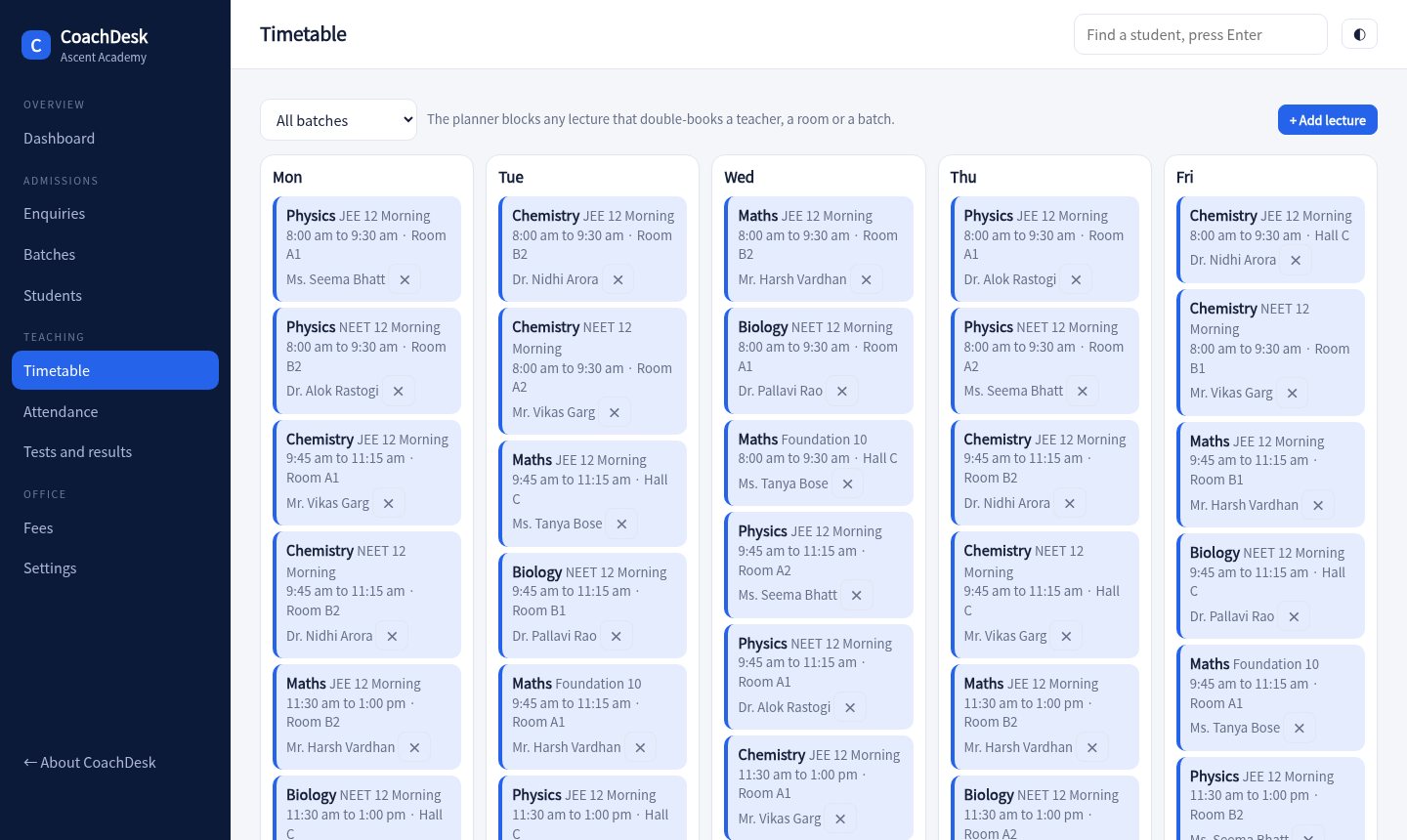
Timetable that checks clashes

Add a lecture and the planner checks the teacher, the room and the batch. A clash is blocked with the reason.

.

Tests and ranks

Create a test, enter marks by subject, and get ranks, subject averages and the topper. Send the result to a parent on WhatsApp.

.

Parent updates

Every student profile shows fee status, attendance and score trend, with a one-tap message to the parent.
Dashboard

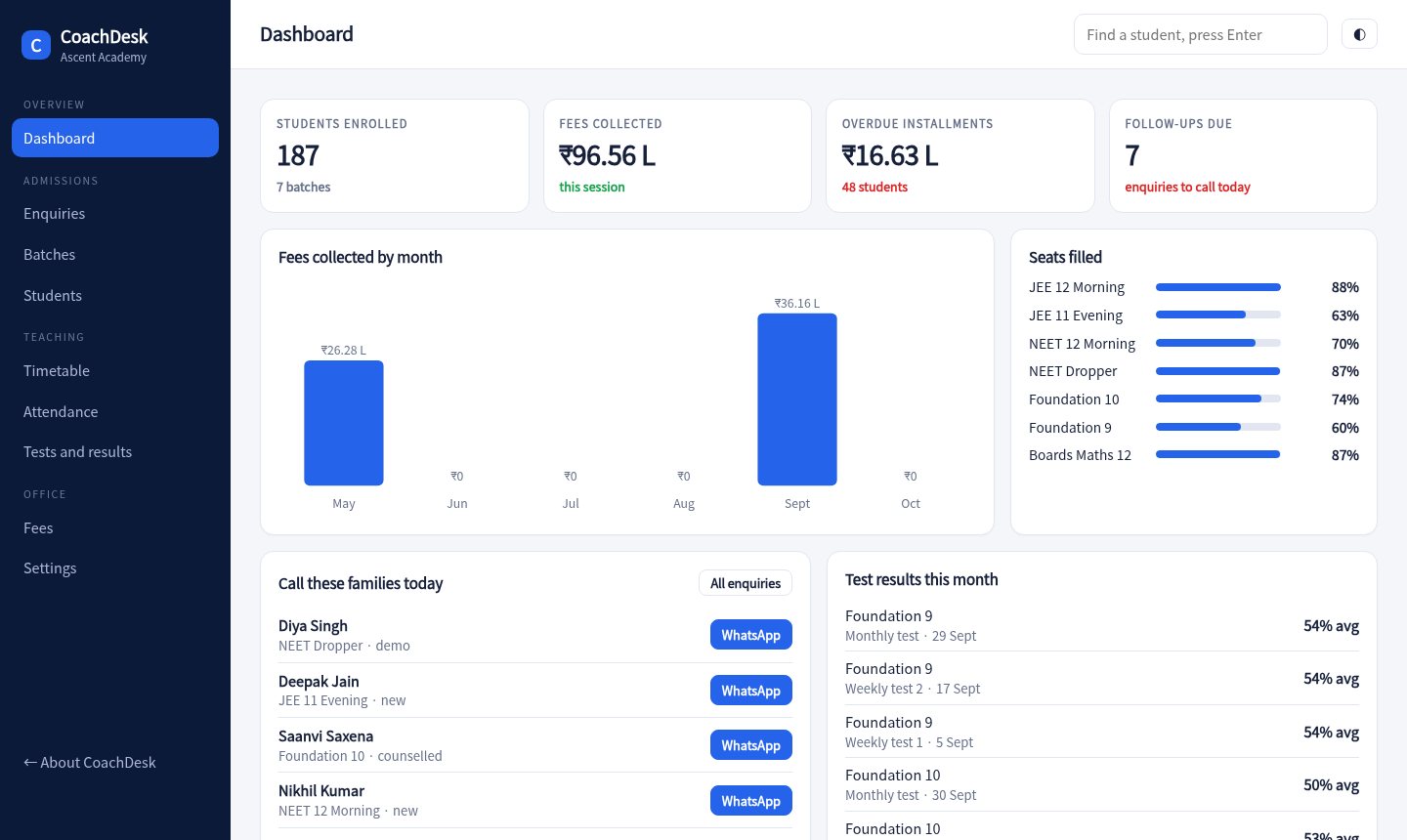
Know where the institute stands

Fees collected each month, seats filled in each batch, overdue installments and the follow-ups due today.

  • Seats filled by batch
  • Collections by month
  • Test averages in one view
Open the dashboard
Dashboard
Admissions

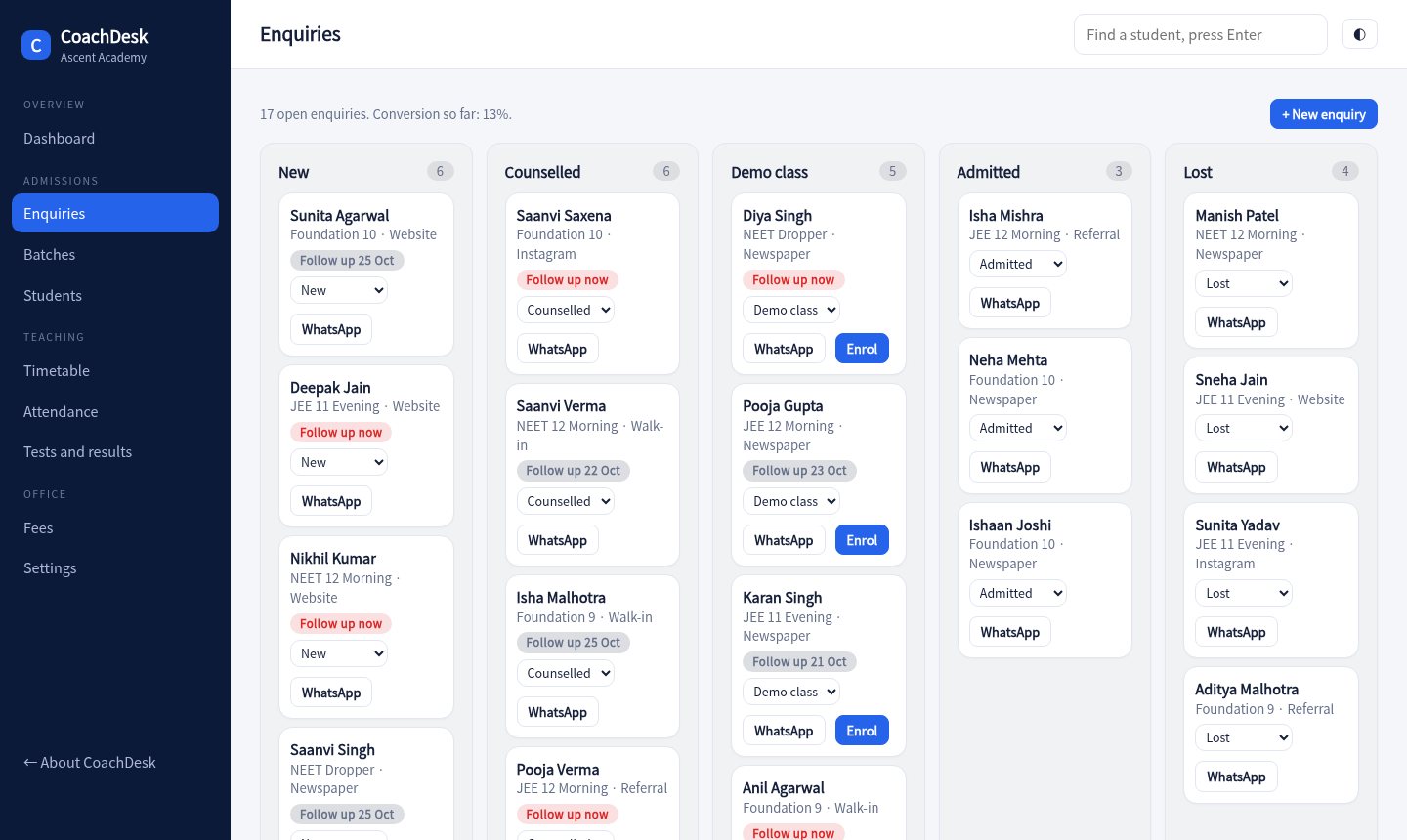
Turn enquiries into enrolments

Move families from new to counselled to demo class to admitted. Overdue follow-ups stand out in red.

  • Stage and follow-up date
  • Source tracking
  • Enrol straight from the pipeline
Open enquiries
Enquiry pipeline
Timetable

Schedule without double-booking

A weekly view by batch. Teachers, rooms and batches are checked every time a lecture is added.

  • Clash reasons shown
  • Morning and evening batches
  • Print or share by batch
Open the timetable
Timetable
Ready before the new batch starts

How it works

Set up batches and teachers

Add batches with fees and subjects, then teachers and rooms. Build the weekly timetable.

Run admissions

Log enquiries, follow up, enrol, and collect the first installment with a receipt.

Teach, test and report

Mark attendance, run tests, and share scores and fee reminders with parents.

7batches in the demo
3fee installments per student
3clash checks on every lecture
1 tapto message a parent
Pricing

For one institute, any number of batches

Sample pricing for this concept build.

Centre

₹1,499 / month
  • Up to 150 students
  • Enquiries, fees, attendance
  • Tests and ranks
Try the demo
Most popular

Institute

₹3,499 / month
  • Up to 600 students
  • Timetable planner
  • Parent updates
Try the demo

Chain

₹7,999 / month
  • Everything in Institute
  • Multiple centres
  • Teacher payouts
Ask about this

Questions

Can we set our own fee installments?

The demo uses three installments with fixed due dates. A production build lets you set the number, split and dates per batch.

How does the clash check work?

When you add a lecture it looks for another lecture at an overlapping time with the same teacher, room or batch, and blocks it with the reason.

Can parents see results?

The console sends a WhatsApp message with the score and rank. A parent portal, like the one in SchoolDesk, can be added.

Is the student data real?

No. Students, parents, fees and marks are generated for a made-up institute.

Try the clash check yourself.

Add a lecture on top of an existing one and see why the planner says no.

Open the console