School management for small and mid-size schools

Run the whole school from one screen.

Admissions, daily attendance, fee receipts, marks and report cards, plus a parent portal that answers most of the calls your front office gets.

320 sample studentsParent portal includedPrintable receipts and report cards
schooldesk.app / dashboard
SchoolDesk dashboard
Made forPrivate schoolsPlay schoolsCoaching centresTuition classesPre-primary chainsCo-ed day schools
The office, sorted

The jobs a school office repeats every day

.

Admissions pipeline

Enquiries from the website and walk-ins move from enquiry to visit to applied to admitted. One click turns an applied family into a student record.

.

Attendance in a minute

Class teachers mark absentees on one screen. Parents of absent children get a WhatsApp message ready to send.

.

Fees and receipts

Monthly tuition, bus and annual charges by class. Collect, print a numbered receipt with the amount in words, and see who is behind.

.

Exams and report cards

Enter marks by section. Ranks, grades and class averages are worked out, and each report card prints cleanly.

.

Timetable by section

A weekly grid for every section with the teacher shown under each subject. Change a period in two clicks.

.

A portal for parents

Parents check attendance, pay fees by UPI, read notices and see results from their phone.
Dashboard

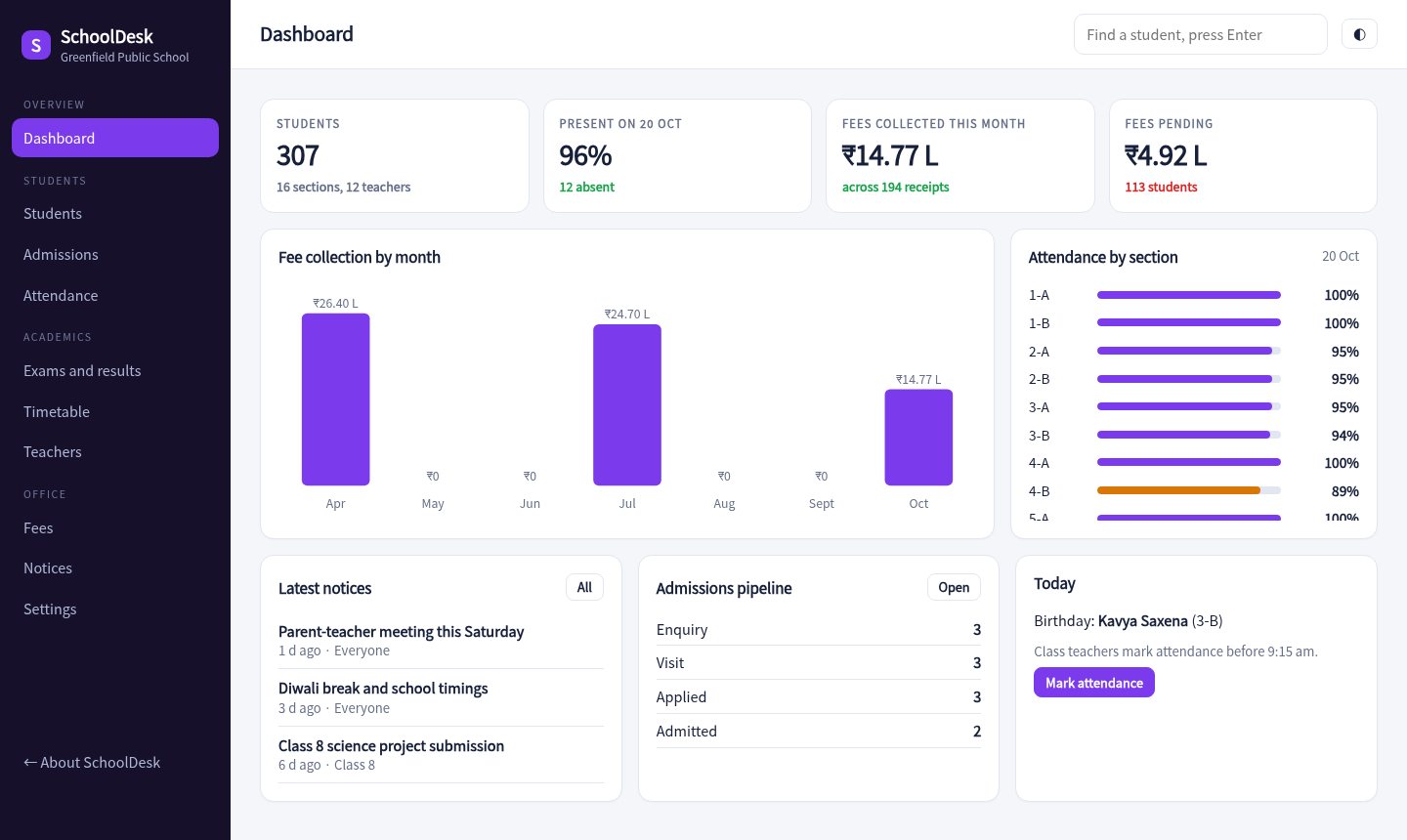
Today at school, in one view

Attendance by section, this month's collections, pending fees and the admissions pipeline.

  • Attendance for every section
  • Fee collection trend
  • Birthdays and latest notices
Open the dashboard
SchoolDesk dashboard
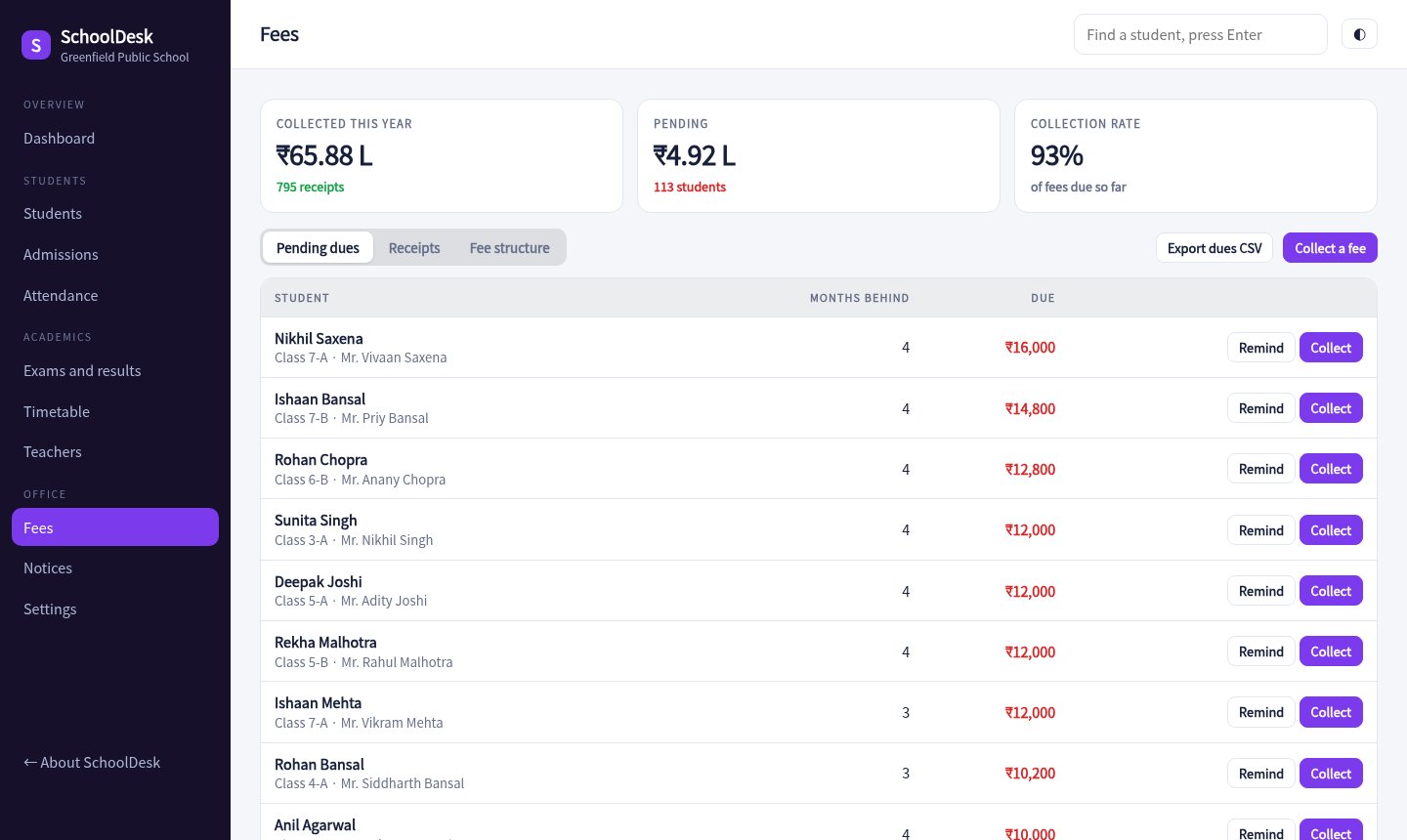
Fees

Collect fees and chase dues

Every receipt is numbered and printable. Overdue families are sorted by how much they owe, with a reminder that carries a UPI link.

  • Receipts with the amount in words
  • Dues by months behind
  • Fee structure by class
Open fees
Fee collection screen
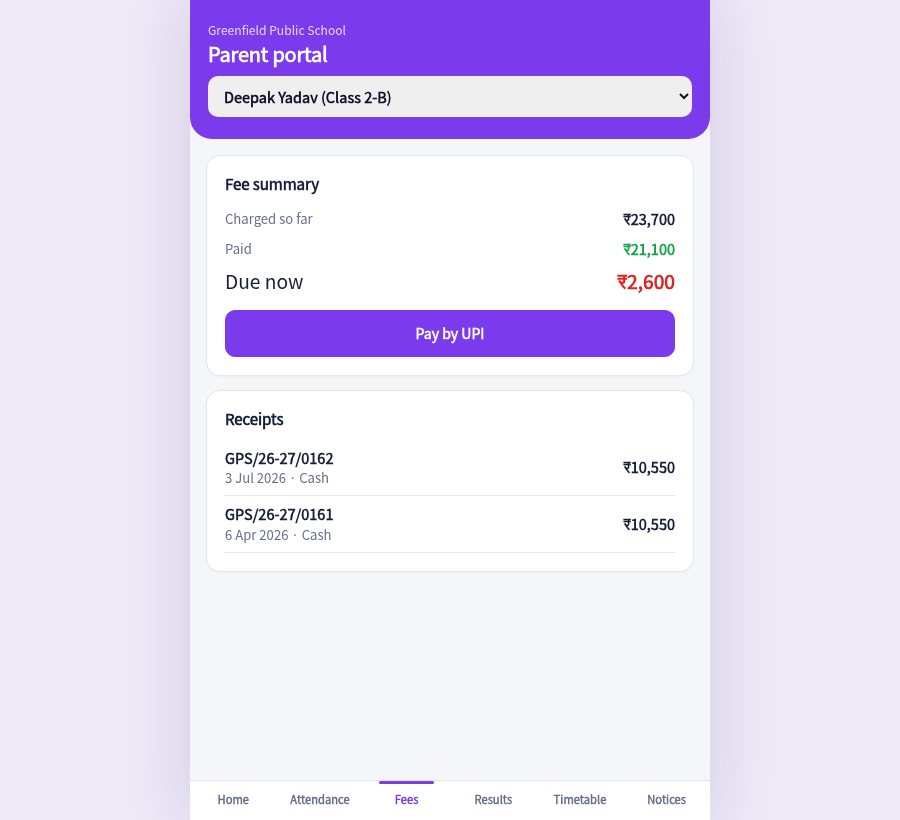
Parent portal

Fewer calls to the front desk

Parents choose a child and see attendance, dues, results, today's timetable and notices. Paying fees is a UPI scan.

  • Attendance calendar
  • Pay by UPI
  • Notices by class
Open the parent portal
Parent portal on a phone
Ready before the new session

How it works

Load your students

Add admissions one by one, or paste a list. Set class fees and bus zones once.

Use it daily

Mark attendance in the morning, collect fees at the counter, enter marks after exams.

Open the portal to parents

Share the link. Parents see only their own child's information.

8classes, 16 sections in the demo
1 minto mark a class
2exams with report cards
UPIfee payment from the portal
Pricing

Priced by student, not by feature

Sample pricing for this concept build.

Small school

₹4,999 / year
  • Up to 200 students
  • Attendance, fees, exams
  • Parent portal
Try the demo
Most popular

School

₹12,999 / year
  • Up to 600 students
  • Everything in Small school
  • Admissions pipeline and notices
Try the demo

Group

₹24,999 / year
  • Unlimited students
  • Multiple campuses
  • Priority support
Ask about this

Questions

Can parents see other children's data?

No. In production each parent logs in with their own mobile number and sees only their children. The demo lets you switch children to show the views.

Does it print report cards?

Yes. Report cards and fee receipts print from the browser with the school name, grades, rank and a remark.

Can we use our own fee structure?

Fees are set per class, with bus zones and a sibling discount. A production build would add heads such as exam or activity fees.

Is the student data real?

No. The students, parents and marks are generated for a made-up school.

Walk through a school day.

Mark attendance, collect a fee, print a report card, then open the parent view.

Open the console