For interior designers, contractors and service firms

Never lose an enquiry because nobody called back.

Every enquiry from Instagram, Justdial, your website form or a phone call lands on one board. You see who to call today, send a quotation link and learn why jobs are won or lost.

One board for every sourceDaily follow-up listQuote link the client can accept
leadnest.app / pipeline
LeadNest pipeline board
Made forInterior designersPainters and contractorsModular kitchen studiosEvent plannersPhotographersRenovation firms
From the first message to the signed quote

What a small sales team needs to close more jobs

.

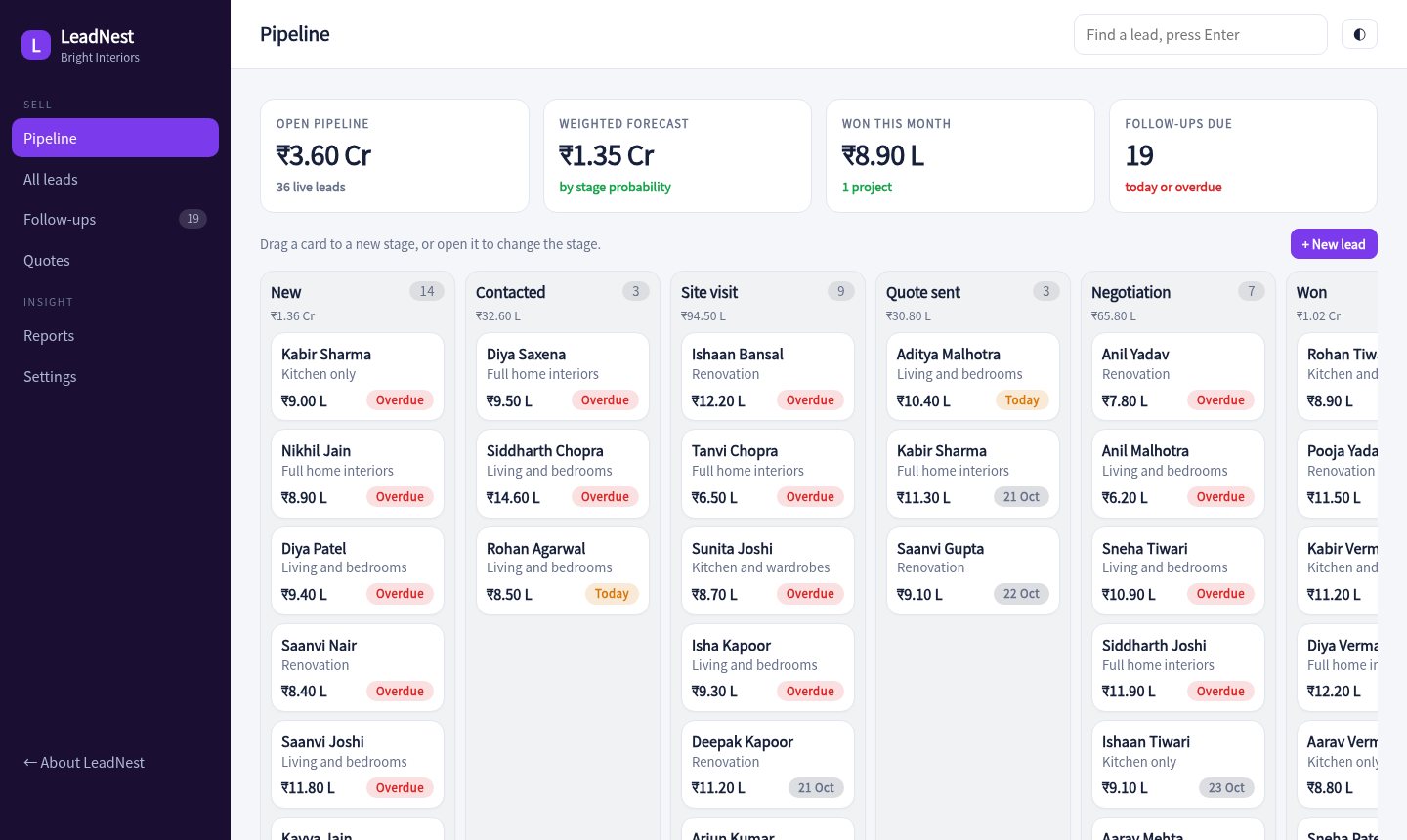
A pipeline board

Move each lead through new, contacted, site visit, quote sent and negotiation. See the value sitting in every stage.

.

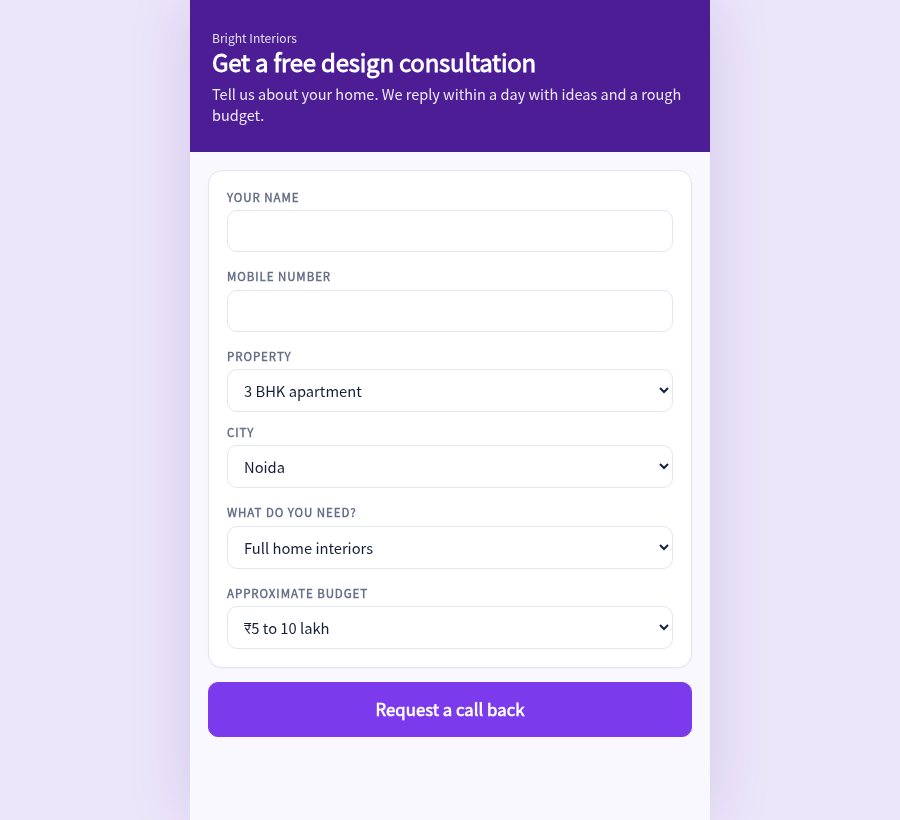
An enquiry form for your website

Share one link or embed it. Each submission becomes a lead with its source tagged, so nothing sits in a WhatsApp chat.

.

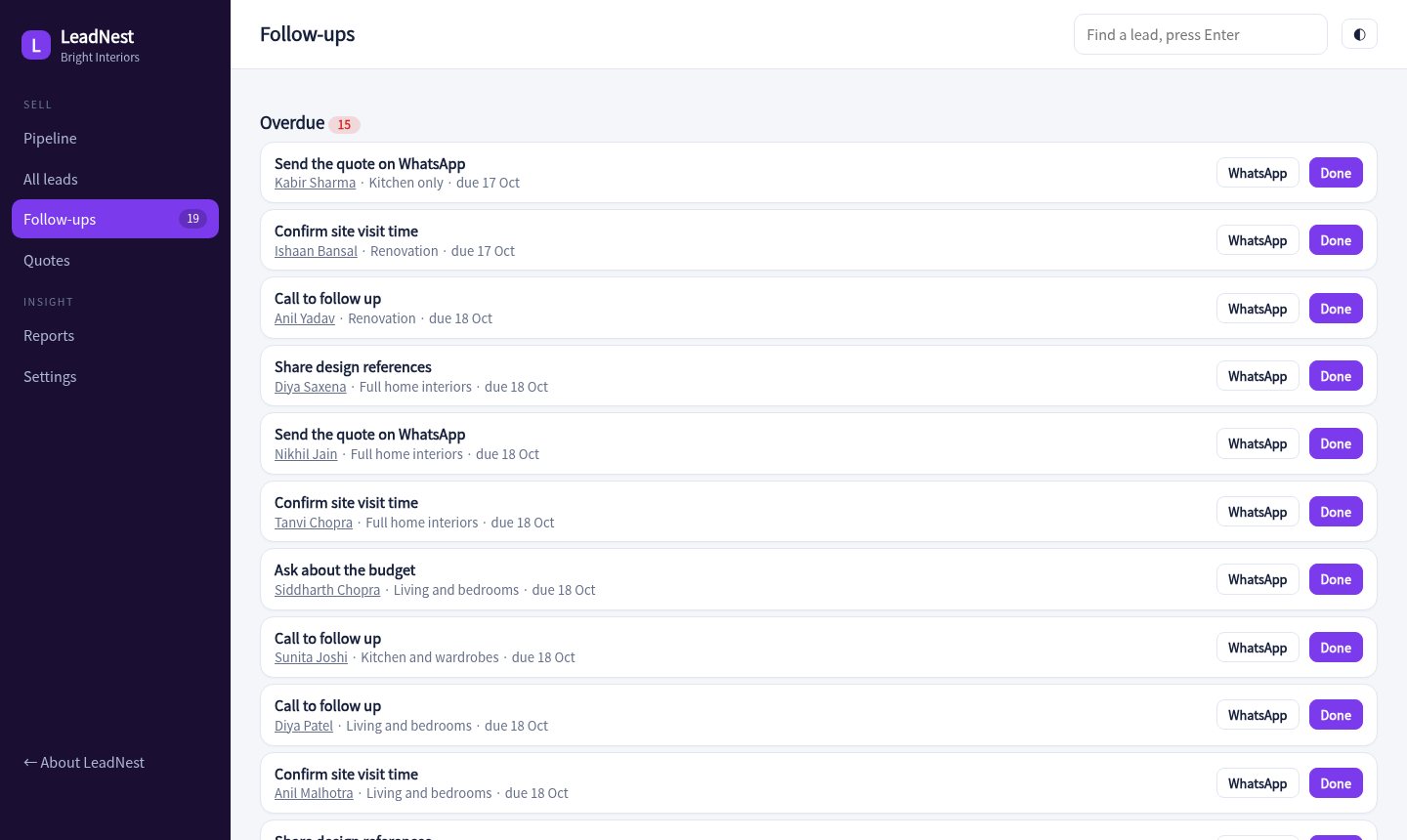
Follow-ups that show up

Every open lead has a next date. Today's list shows who to call, and overdue ones are marked so they do not slip.

.

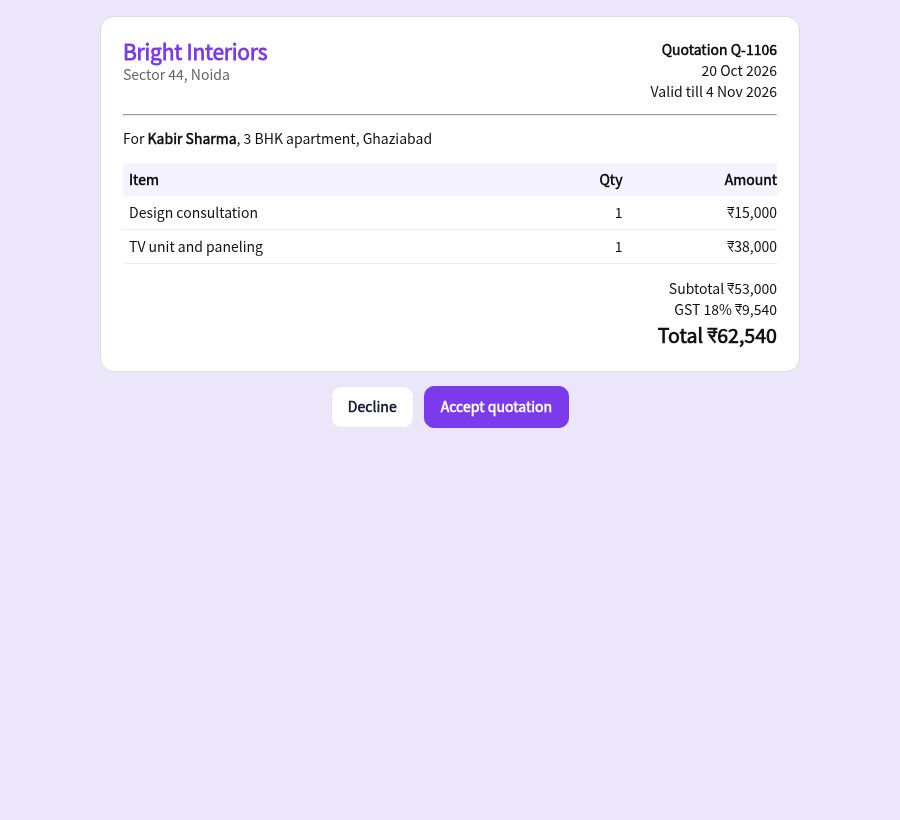
Quotations in a few taps

Pick items from your rate list, add a discount and send a link. The client views it on their phone and accepts it there.

.

A full history for each lead

Calls, site visits and notes are saved in order, so anyone on the team can pick up the conversation.

.

Win and loss reports

See which source brings paying clients, how long jobs take to close and the reasons you lose them.
Pipeline

See every job on one board

Drag leads between stages and watch the value of each column. Filter by owner or source.

  • Stage totals in rupees
  • Owner and source filters
  • Quick add from the board
Open the pipeline
Pipeline board
Follow-ups

Start the day with a call list

Overdue, due today and coming up, grouped so the team knows what to do first.

  • Overdue marked in red
  • One tap to log a call
  • Reschedule from the list
Open follow-ups
Follow-ups list
Enquiry form

A form that fills the board for you

Visitors describe their home and budget. You get a new lead with the source set to website.

  • Works on any phone
  • Source tagged automatically
  • Thank-you message after sending
Try the enquiry form
Public enquiry form
Quotations

Send a quote the client can accept

A clean quotation with items, discount and validity date. Accepting it marks the lead as won.

  • Items from your rate list
  • Discount and validity date
  • Accept on the client's phone
View a sample quote
Client quotation page
Ready before your next site visit

How it works

Set your rate list

Add the items you quote most often, with prices. Quotes pick from this list.

Share the enquiry link

Put it on your Instagram bio, Google profile and website. Every enquiry lands on the board.

Follow up and send quotes

Work through today's list, send a quote link and move the lead forward.

60leads in the demo
5stages in the pipeline
6enquiry sources
1 tapquote to won
Pricing

Simple pricing for small teams

Sample pricing for this concept build.

Solo

₹0 / month
  • 1 user
  • Up to 50 leads
  • Enquiry form
Try the demo
Most popular

Team

₹999 / month
  • Up to 5 users
  • Unlimited leads
  • Quotations and reports
Try the demo

Studio

₹2,499 / month
  • Everything in Team
  • WhatsApp reminders
  • Custom rate lists
Ask about this

Questions

Can the form go on my own website?

Yes. The enquiry form is a single page you can link to or embed. A production build would also post straight to your database.

Can clients accept a quote online?

In the demo the quote page has an accept button that marks the lead as won. A live build can also record a signature and take an advance by UPI.

Is this connected to Instagram or Justdial?

Not in the demo. A live build can pull enquiries from email alerts or lead forms into the same board.

Is the data real?

No. Leads, quotes and the team are generated for a made-up studio called Bright Interiors.

Send an enquiry and watch it arrive.

Fill the enquiry form as a customer, then open the CRM and find your lead on the board.

Open the CRM